Your edits are protected
Every hand edit is described to Claude before your next request, with an instruction not to restore an earlier version or rewrite the file.
Kwizmo Plynth records every prompt Claude Code runs, checks what it changed, and lets you keep only the parts you want — underneath your git repository, without ever touching it.
The problem
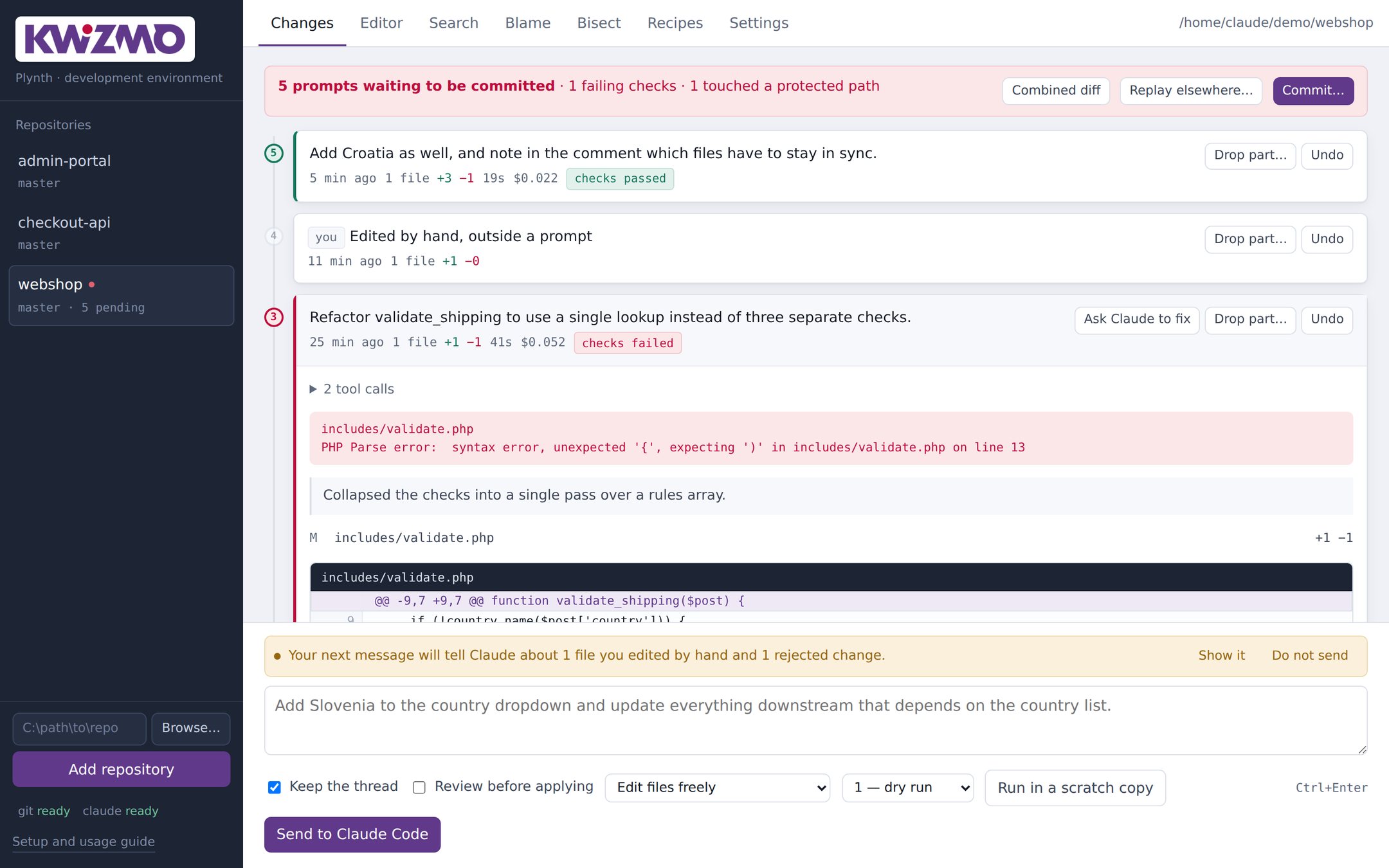
Agents are fast enough that an ordinary session produces a dozen changes before anything is committed. Git cannot help you: none of it exists in history yet.
Five prompts touched the same file. Which one added the line you are staring at?
The third prompt went wrong, but the ninth built on top of it. Now you are unpicking both by hand.
Four fifths of that change was right. Rejecting the whole prompt means asking for the good part again.
You fixed a line by hand. The agent still believes it wrote something else there, and quietly puts it back.
Every prompt, on its own
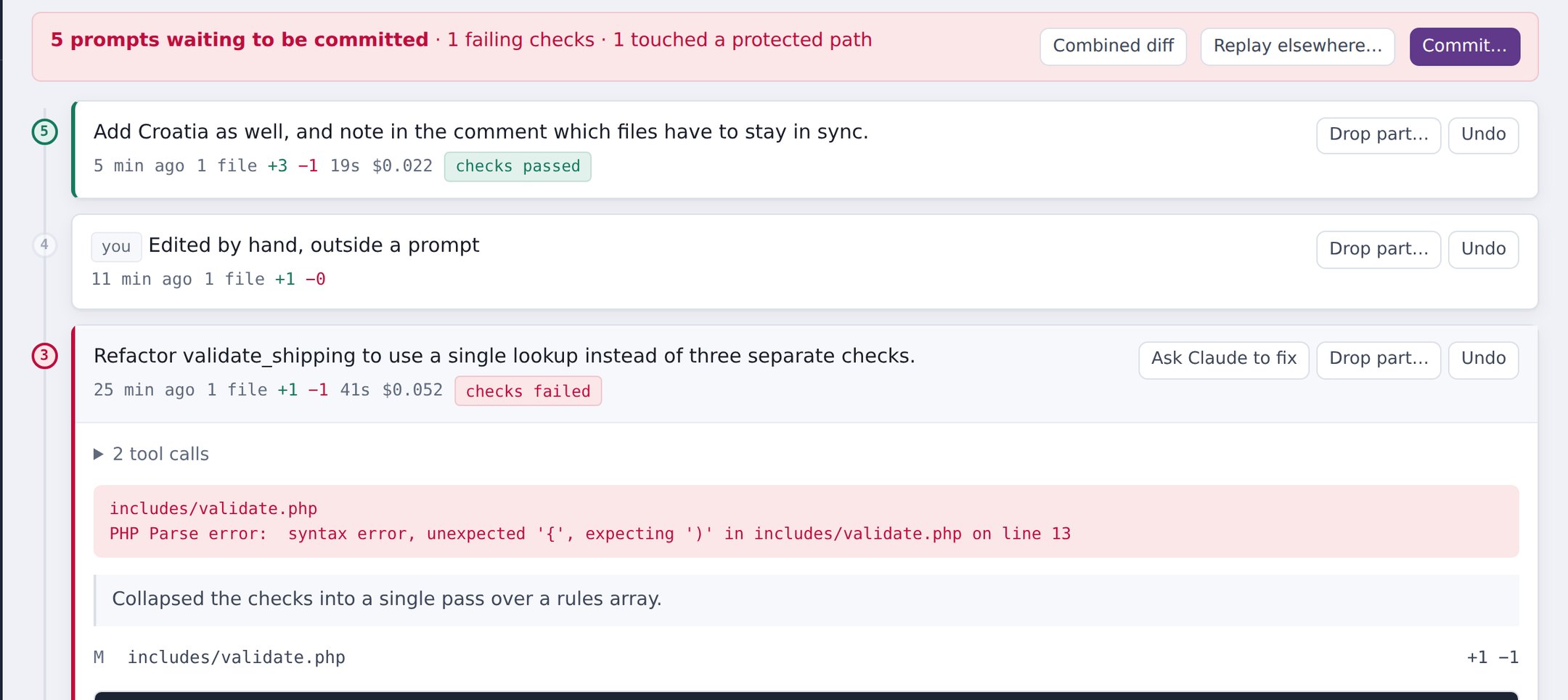
Each prompt becomes a numbered entry, coloured by what happened to it. Open one and you get the model's summary, the tool calls it made, the checker's output and a line-numbered diff of what that prompt — and only that prompt — changed.
Keep what is right
By default a prompt runs in a throwaway copy of your repository — nothing on disk changes until you say so. You get the diff split into individual hunks and tick the ones you want.
CLAUDE.md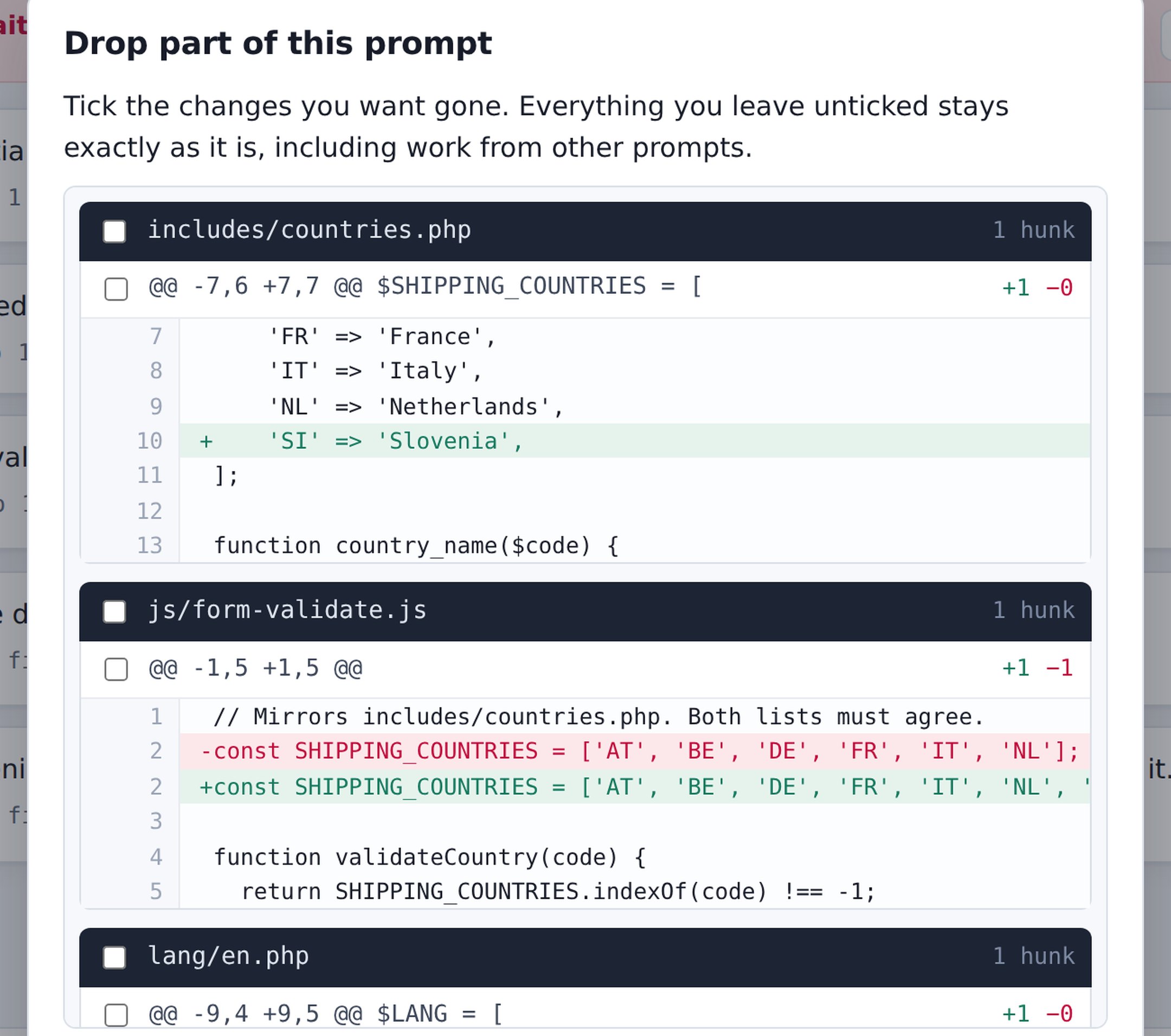
Something git cannot do
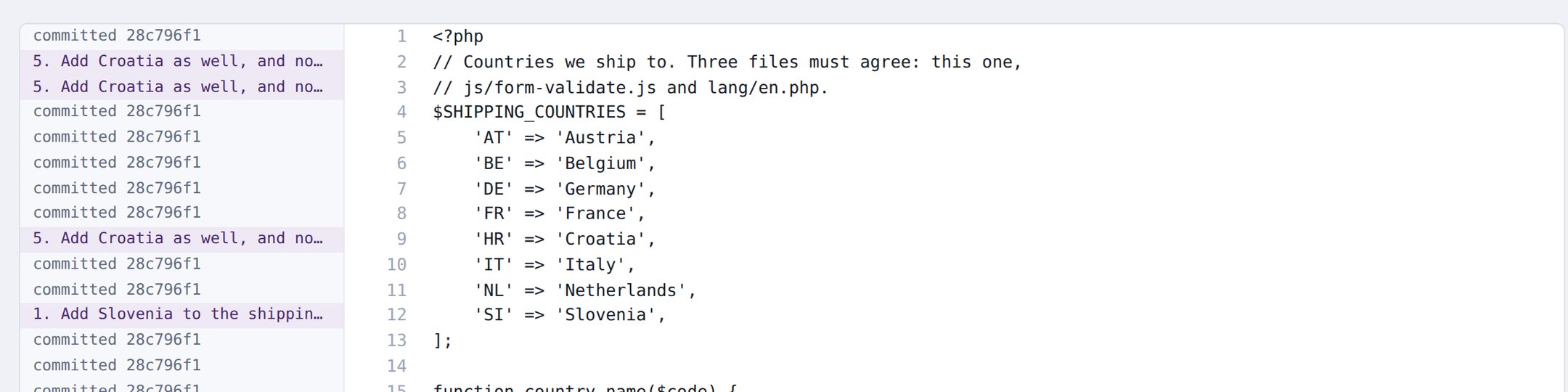
Pick a file and see which request produced each line —
including work you have not committed, where ordinary
git blame has nothing to point at.
How it works
Before and after every prompt, Plynth writes your whole working tree into git's object database using plumbing commands and a throwaway index. Those snapshots are real commits on a private ref.
GIT_INDEX_FILE=<tmp>  git read-tree HEAD
GIT_INDEX_FILE=<tmp>  git add -A
GIT_INDEX_FILE=<tmp>  git write-tree      -> tree
git commit-tree <tree> -p <previous>      -> commit
git update-ref refs/kwizmo/snapshots <commit>| Because they are git objects | You get |
|---|---|
| git diff before after | the exact diff for one prompt |
| git blame | blame that names the prompt, not the commit |
| the commits already exist | bisect across prompts |
| git apply --cached | commit some prompts and not others |
| a ref keeps them reachable | nothing is ever garbage collected |
git status,
git log, your branch and your staging area are never touched.
Remove Plynth and your repository is exactly as you left it.
Also included
Every hand edit is described to Claude before your next request, with an instruction not to restore an earlier version or rewrite the file.
Run one prompt up to four ways at once, each in its own copy, and compare the results before adopting one.
Untick prompts and the commit is rebuilt from the rest. The schema change need not ride along with the UI change.
Written from the prompts you actually sent. You described the change before making it; that beats guessing from a diff.
Private keys, cloud credentials, tokens and database URLs with passwords are caught before the commit, not after the push.
Not a repository? Plynth tracks it anyway, keeping the history outside
your files. No .git, no marker, nothing added.
Syntax highlighting for 62 file extensions, so a two-line fix is something Plynth knows about the moment you make it.
The prompt you run every month with one word changed, saved with placeholders and reusable across repositories.
What you have spent, how long you waited, which files the agent keeps returning to, and every prompt you have ever sent.
Requirements
Plynth is Python standard library only. There is nothing to compile, nothing to install into your project, and nothing to configure before it runs.
Locked-down machine? The paths to git and Claude Code can be set in the interface or through environment variables when PATH cannot be changed.
Under the hood
Every test runs against a real git repository in a temporary directory. The whole tool is a thin layer over git plumbing, and a mocked git would only prove the mock does as it was told. They concentrate on the places where a silent break would cost real work: that snapshots never touch your branch, that undo restores binary files byte for byte and refuses cleanly when it cannot, and that pulling one hunk out of the middle leaves its neighbours alone.
Unzip it, point it at a folder, send one prompt as a dry run — then undo it, so you have watched the safety net work before you rely on it.
Kwizmo.bat, or
python kwizmo.py.